Data Engineering
Written By: Sajagan Thirugnanam and Austin Levine
Last Updated on October 1, 2024
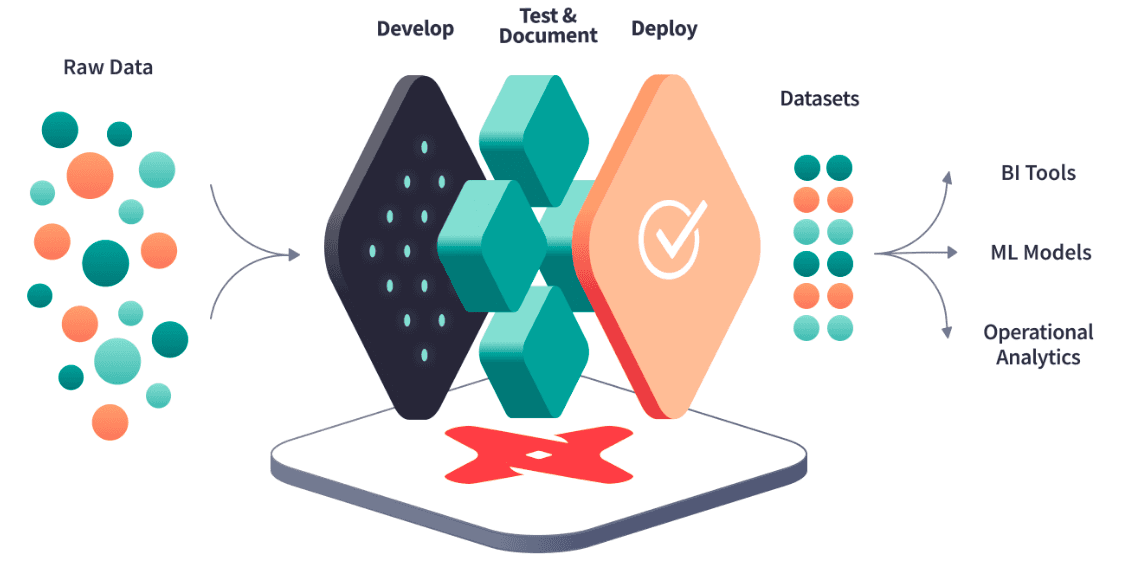
In the age of big data, organizations are constantly seeking innovative solutions to efficiently manage, analyze, and derive insights from their vast data sets. Traditional data processing methods often fall short, leading to inefficiencies, data silos, and delays in decision-making. However, with the emergence of cloud-based data transformation tools like dbt Cloud, companies can now unlock the full potential of their data.
Source: kipi.bi
Streamlining Data Transformation
Data transformation is a critical step in the data lifecycle, where raw data is refined and structured into a format suitable for analysis and decision-making. Streamlining this process is essential for organizations looking to extract value from their data efficiently. With the advancements in technology and the availability of powerful tools like DBT (Data Build Tool), data transformation has become more accessible and streamlined than ever before.
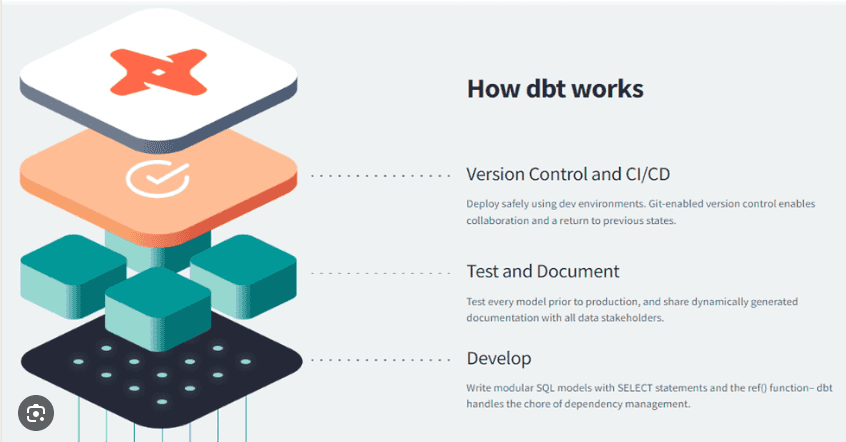
One key aspect of streamlining data transformation is the use of standardized and modular approaches. By breaking down complex transformations into smaller, reusable components, data teams can build a library of transformation models that can be easily applied to different datasets. This modular approach not only reduces duplication of effort but also enhances maintainability and reusability. Additionally, leveraging SQL as the transformation language allows data engineers and analysts to work with familiar syntax and tools, accelerating the development and debugging process. Furthermore, automation plays a significant role in streamlining data transformation. Tools like DBT Cloud provide automated deployment and monitoring capabilities, enabling teams to schedule transformations, trigger updates based on data changes, and receive alerts in case of issues. This automation eliminates manual intervention and reduces the risk of human error, allowing data teams to focus on higher-value tasks rather than spending time on repetitive and mundane tasks. By streamlining data transformation, organizations can accelerate the time-to-insight, enhance data quality, and enable more agile and efficient decision-making processes.
Automating Workflows
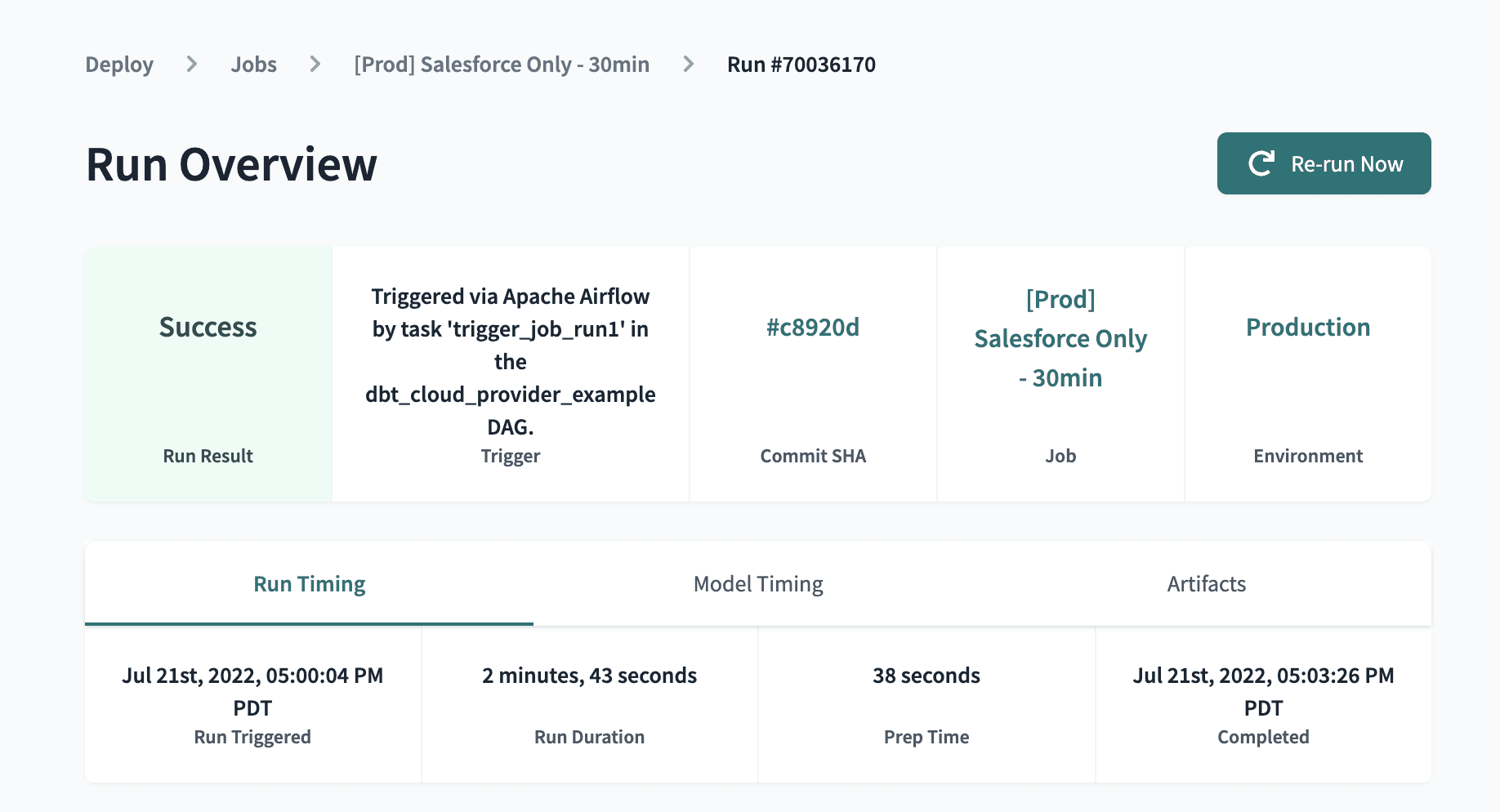
One of the key advantages of dbt Cloud is its ability to automate workflows. Data engineers and analysts can leverage the platform's intuitive interface to define and execute data transformation tasks seamlessly. dbt Cloud orchestrates the entire process, from data ingestion to model creation, testing, and deployment. This automation not only saves valuable time and effort but also reduces the risk of human error, ensuring accurate and consistent results.
Source: dbt docs
Collaboration and Version Control
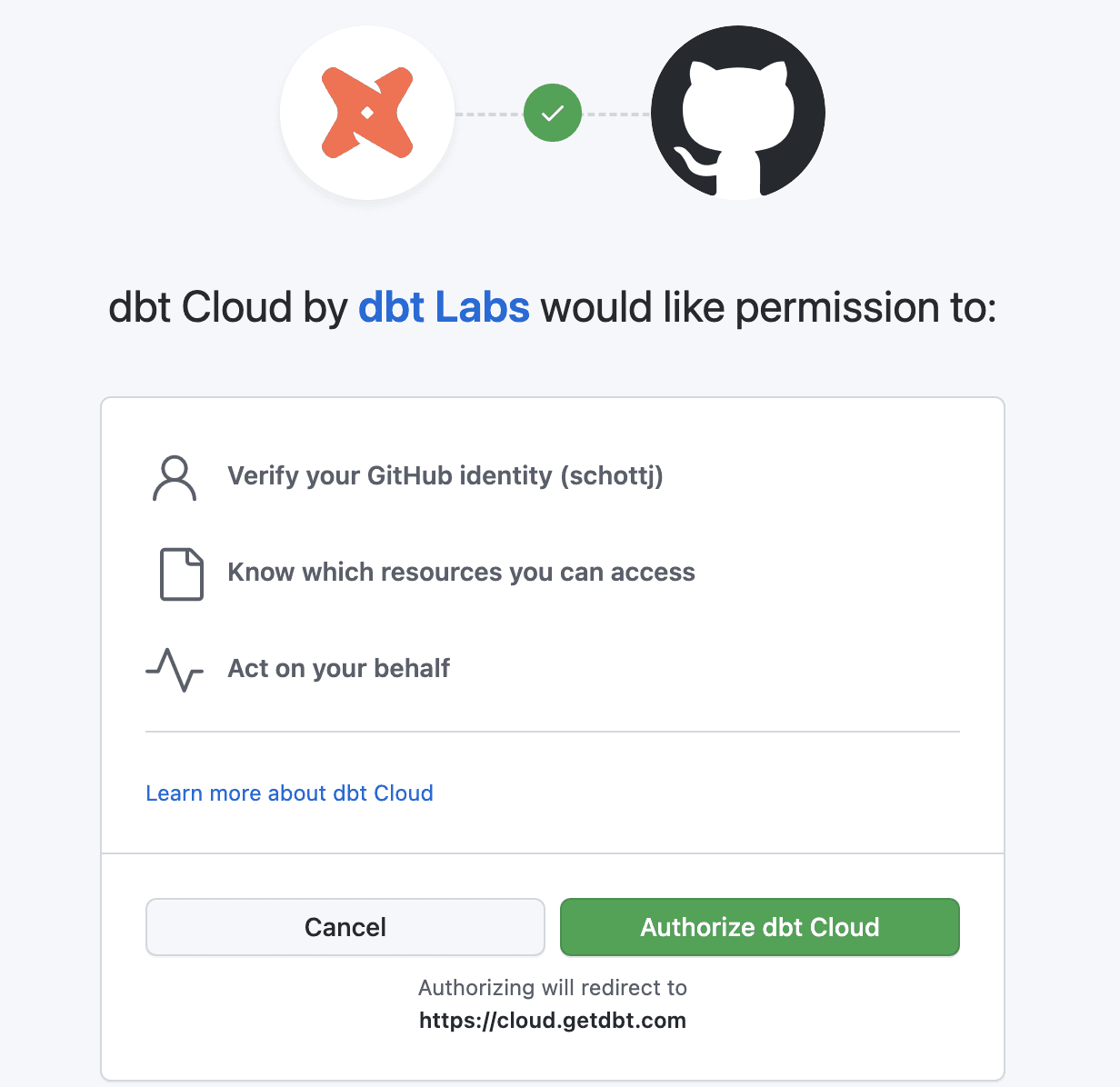
dbt Cloud fosters collaboration within data teams by providing a unified platform for data engineers, analysts, and other stakeholders to work together. With features like version control, teams can track and manage changes to their data models, ensuring transparency and accountability. This collaborative environment promotes knowledge sharing, enabling team members to learn from each other's expertise and collectively improve the quality of data transformations.
Effective collaboration and version control are essential for data teams working on complex data projects. Streamlining collaboration allows team members to work together seamlessly, while version control ensures data consistency and provides a safety net for managing changes. Let's explore how collaboration and version control can be streamlined using tools like DBT Cloud.
DBT Cloud provides a collaborative environment where multiple team members can work on the same project simultaneously. For example, imagine a data engineering team working on a customer segmentation project. With DBT Cloud, team members can create separate branches within the project to work on different aspects of the data transformation pipeline. They can develop and test their changes independently without interfering with each other's work. Once the changes are complete, the team can merge the branches back into the main project, ensuring a cohesive and error-free transformation process.
Version control is crucial for managing changes and tracking the evolution of a data project. DBT Cloud integrates with version control systems like Git, allowing teams to track and manage different versions of their code and transformations. For instance, consider a scenario where a data analyst wants to test a new segmentation model on historical data. They can create a new branch, make the necessary changes to the transformation models, and perform the analysis. If the results are satisfactory, they can merge the changes back to the main branch, ensuring that the updated models are incorporated into the production pipeline. In case the results are unsatisfactory, the analyst can easily revert back to the previous version and continue iterating on the models until the desired outcome is achieved.
Source: dbt docs
Scalability and Performance
As data volumes continue to grow exponentially, scalability and performance become critical factors in data processing. dbt Cloud leverages the power of cloud computing to scale horizontally, allowing organizations to handle large and complex data sets with ease. Data transformation tasks are accelerated by dbt Cloud by leveraging distributed computing resources, allowing businesses to make real-time data-driven decisions.
Security and Governance
Data security and governance are paramount concerns for organizations, particularly when dealing with sensitive or regulated data. dbt Cloud addresses these concerns by implementing robust security measures and compliance standards. It offers encryption at rest and in transit, role-based access controls, and audit logs, ensuring data integrity and protecting against unauthorized access.
Source: kipi.bi
Integrations and Extensibility
DBT Cloud seamlessly integrates with popular data sources, warehouses, and visualization tools, allowing organizations to leverage their existing technology stack. It supports connections to databases like Snowflake, BigQuery, and Redshift, as well as popular business intelligence tools like Looker and Tableau. Furthermore, DBT Cloud is highly extensible, with an active community contributing to the ecosystem through plugins and customizations.
dbt Cloud represents a paradigm shift in data transformation, empowering organizations to unlock the power of their data through streamlined processes, automation, and collaboration. By harnessing the power of dbt Cloud, businesses can uncover valuable insights, identify trends, and make informed decisions that give them a competitive edge. The future of data analytics lies in embracing innovative tools like dbt Cloud, where collaboration, automation, and scalability converge to unlock the true power of data. It's time for organizations to embrace this data-driven revolution and harness the transformative potential of dbt Cloud.